Your trial counts stay explicit
The fixed diagram renders supplied values rather than asking AI to infer them from narrative text. Keep the link to your trial records visible as you review each stage and group before exporting.
Randomised trial reporting
Enter two-group trial counts and reasons to build a CONSORT 2025 participant flow diagram. Review enrolment, allocation, follow-up and primary-outcome analysis, then download SVG.
This free two-group template runs in your browser. Enter counts from your trial records; the tool draws them without generating results or inferring an analysis population.
Clear the fictional example before entering your verified counts. You supply the data; this tool checks the supported template’s count relationships.
Template count checks pass. Review your source records and reporting requirements before submission.
%22%2F%3E%3Cpolyline%20points%3D%22337.5%2C218%20337.5%2C317%22%20fill%3D%22none%22%20stroke%3D%22%23475569%22%20stroke-width%3D%221.5%22%20marker-end%3D%22url(%23arrow)%22%2F%3E%3Cpolyline%20points%3D%22337.5%2C395%20337.5%2C419%20337.5%2C419%20337.5%2C449%22%20fill%3D%22none%22%20stroke%3D%22%23475569%22%20stroke-width%3D%221.5%22%20marker-end%3D%22url(%23arrow)%22%2F%3E%3Cpolyline%20points%3D%22337.5%2C395%20337.5%2C419%20737.5%2C419%20737.5%2C449%22%20fill%3D%22none%22%20stroke%3D%22%23475569%22%20stroke-width%3D%221.5%22%20marker-end%3D%22url(%23arrow)%22%2F%3E%3Cpolyline%20points%3D%22337.5%2C653%20337.5%2C697%22%20fill%3D%22none%22%20stroke%3D%22%23475569%22%20stroke-width%3D%221.5%22%20marker-end%3D%22url(%23arrow)%22%2F%3E%3Cpolyline%20points%3D%22737.5%2C611%20737.5%2C697%22%20fill%3D%22none%22%20stroke%3D%22%23475569%22%20stroke-width%3D%221.5%22%20marker-end%3D%22url(%23arrow)%22%2F%3E%3Cpolyline%20points%3D%22337.5%2C838%20337.5%2C882%22%20fill%3D%22none%22%20stroke%3D%22%23475569%22%20stroke-width%3D%221.5%22%20marker-end%3D%22url(%23arrow)%22%2F%3E%3Cpolyline%20points%3D%22737.5%2C838%20737.5%2C882%22%20fill%3D%22none%22%20stroke%3D%22%23475569%22%20stroke-width%3D%221.5%22%20marker-end%3D%22url(%23arrow)%22%2F%3E%3Ctext%20x%3D%2224%22%20y%3D%22162%22%20font-size%3D%2213%22%20fill%3D%22%23475569%22%3EEnrollment%20and%20randomization%3C%2Ftext%3E%3Ctext%20x%3D%2224%22%20y%3D%22471%22%20font-size%3D%2213%22%20fill%3D%22%23475569%22%3EAllocation%3C%2Ftext%3E%3Ctext%20x%3D%2224%22%20y%3D%22719%22%20font-size%3D%2213%22%20fill%3D%22%23475569%22%3EPrimary-outcome%20follow-up%20and%20discontinuation%3C%2Ftext%3E%3Ctext%20x%3D%2224%22%20y%3D%22904%22%20font-size%3D%2213%22%20fill%3D%22%23475569%22%3EPrimary-outcome%20analysis%3C%2Ftext%3E%3Cg%3E%3Crect%20x%3D%22170%22%20y%3D%22144%22%20width%3D%22335%22%20height%3D%2274%22%20rx%3D%226%22%20fill%3D%22%23ffffff%22%20stroke%3D%22%23334155%22%20stroke-width%3D%221.5%22%2F%3E%3Ctext%20x%3D%22188%22%20y%3D%22172%22%20font-size%3D%2214%22%20fill%3D%22%230f172a%22%3E%3Ctspan%20x%3D%22188%22%20dy%3D%220%22%3EAssessed%20for%20eligibility%20(n%20%3D%20150)%3C%2Ftspan%3E%3C%2Ftext%3E%3C%2Fg%3E%3Cg%3E%3Crect%20x%3D%22555%22%20y%3D%22144%22%20width%3D%22365%22%20height%3D%22137%22%20rx%3D%226%22%20fill%3D%22%23ffffff%22%20stroke%3D%22%23334155%22%20stroke-width%3D%221.5%22%2F%3E%3Ctext%20x%3D%22573%22%20y%3D%22172%22%20font-size%3D%2214%22%20fill%3D%22%230f172a%22%3E%3Ctspan%20x%3D%22573%22%20dy%3D%220%22%3EParticipants%20excluded%20(n%20%3D%2050)%3C%2Ftspan%3E%3Ctspan%20x%3D%22573%22%20dy%3D%2221%22%3EDid%20not%20meet%20eligibility%20criteria%20(n%20%3D%2020)%3C%2Ftspan%3E%3Ctspan%20x%3D%22573%22%20dy%3D%2221%22%3EDeclined%20to%20participate%20(n%20%3D%2020)%3C%2Ftspan%3E%3Ctspan%20x%3D%22573%22%20dy%3D%2221%22%3EExcluded%20for%20other%20reasons%20(n%20%3D%2010)%3C%2Ftspan%3E%3Ctspan%20x%3D%22573%22%20dy%3D%2221%22%3EExample%3A%20withdrew%20before%20recruitment%3C%2Ftspan%3E%3C%2Ftext%3E%3C%2Fg%3E%3Cg%3E%3Crect%20x%3D%22170%22%20y%3D%22321%22%20width%3D%22335%22%20height%3D%2274%22%20rx%3D%226%22%20fill%3D%22%23ffffff%22%20stroke%3D%22%23334155%22%20stroke-width%3D%221.5%22%2F%3E%3Ctext%20x%3D%22188%22%20y%3D%22349%22%20font-size%3D%2214%22%20fill%3D%22%230f172a%22%3E%3Ctspan%20x%3D%22188%22%20dy%3D%220%22%3ERandomized%20participants%20(n%20%3D%20100)%3C%2Ftspan%3E%3C%2Ftext%3E%3C%2Fg%3E%3Cg%3E%3Crect%20x%3D%22170%22%20y%3D%22453%22%20width%3D%22335%22%20height%3D%22200%22%20rx%3D%226%22%20fill%3D%22%23ffffff%22%20stroke%3D%22%23334155%22%20stroke-width%3D%221.5%22%2F%3E%3Ctext%20x%3D%22188%22%20y%3D%22481%22%20font-size%3D%2214%22%20fill%3D%22%230f172a%22%3E%3Ctspan%20x%3D%22188%22%20dy%3D%220%22%3EIntervention%20group%20(fictional)%3C%2Ftspan%3E%3Ctspan%20x%3D%22188%22%20dy%3D%2221%22%3EAllocated%20to%20this%20group%20(n%20%3D%2050)%3C%2Ftspan%3E%3Ctspan%20x%3D%22188%22%20dy%3D%2221%22%3EReceived%20allocated%20intervention%3C%2Ftspan%3E%3Ctspan%20x%3D%22188%22%20dy%3D%2221%22%3E(n%20%3D%2048)%3C%2Ftspan%3E%3Ctspan%20x%3D%22188%22%20dy%3D%2221%22%3EDid%20not%20receive%20allocated%20intervention%3C%2Ftspan%3E%3Ctspan%20x%3D%22188%22%20dy%3D%2221%22%3E(n%20%3D%202)%3C%2Ftspan%3E%3Ctspan%20x%3D%22188%22%20dy%3D%2221%22%3EExample%3A%20withdrew%20consent%20after%3C%2Ftspan%3E%3Ctspan%20x%3D%22188%22%20dy%3D%2221%22%3Eallocation%3C%2Ftspan%3E%3C%2Ftext%3E%3C%2Fg%3E%3Cg%3E%3Crect%20x%3D%22555%22%20y%3D%22453%22%20width%3D%22365%22%20height%3D%22158%22%20rx%3D%226%22%20fill%3D%22%23ffffff%22%20stroke%3D%22%23334155%22%20stroke-width%3D%221.5%22%2F%3E%3Ctext%20x%3D%22573%22%20y%3D%22481%22%20font-size%3D%2214%22%20fill%3D%22%230f172a%22%3E%3Ctspan%20x%3D%22573%22%20dy%3D%220%22%3EControl%20group%20(fictional)%3C%2Ftspan%3E%3Ctspan%20x%3D%22573%22%20dy%3D%2221%22%3EAllocated%20to%20this%20group%20(n%20%3D%2050)%3C%2Ftspan%3E%3Ctspan%20x%3D%22573%22%20dy%3D%2221%22%3EReceived%20allocated%20intervention%20(n%20%3D%2049)%3C%2Ftspan%3E%3Ctspan%20x%3D%22573%22%20dy%3D%2221%22%3EDid%20not%20receive%20allocated%20intervention%3C%2Ftspan%3E%3Ctspan%20x%3D%22573%22%20dy%3D%2221%22%3E(n%20%3D%201)%3C%2Ftspan%3E%3Ctspan%20x%3D%22573%22%20dy%3D%2221%22%3EExample%3A%20withdrew%20consent%20after%20allocation%3C%2Ftspan%3E%3C%2Ftext%3E%3C%2Fg%3E%3Cg%3E%3Crect%20x%3D%22170%22%20y%3D%22701%22%20width%3D%22335%22%20height%3D%22137%22%20rx%3D%226%22%20fill%3D%22%23ffffff%22%20stroke%3D%22%23334155%22%20stroke-width%3D%221.5%22%2F%3E%3Ctext%20x%3D%22188%22%20y%3D%22729%22%20font-size%3D%2214%22%20fill%3D%22%230f172a%22%3E%3Ctspan%20x%3D%22188%22%20dy%3D%220%22%3EDiscontinued%20intervention%20(n%20%3D%208)%3C%2Ftspan%3E%3Ctspan%20x%3D%22188%22%20dy%3D%2221%22%3EExample%3A%20participant%20chose%20to%20stop%3C%2Ftspan%3E%3Ctspan%20x%3D%22188%22%20dy%3D%2221%22%3ELost%20to%20follow-up%20for%20primary%20outcome%3C%2Ftspan%3E%3Ctspan%20x%3D%22188%22%20dy%3D%2221%22%3E(n%20%3D%206)%3C%2Ftspan%3E%3Ctspan%20x%3D%22188%22%20dy%3D%2221%22%3EExample%3A%20unable%20to%20contact%3C%2Ftspan%3E%3C%2Ftext%3E%3C%2Fg%3E%3Cg%3E%3Crect%20x%3D%22555%22%20y%3D%22701%22%20width%3D%22365%22%20height%3D%22137%22%20rx%3D%226%22%20fill%3D%22%23ffffff%22%20stroke%3D%22%23334155%22%20stroke-width%3D%221.5%22%2F%3E%3Ctext%20x%3D%22573%22%20y%3D%22729%22%20font-size%3D%2214%22%20fill%3D%22%230f172a%22%3E%3Ctspan%20x%3D%22573%22%20dy%3D%220%22%3EDiscontinued%20intervention%20(n%20%3D%206)%3C%2Ftspan%3E%3Ctspan%20x%3D%22573%22%20dy%3D%2221%22%3EExample%3A%20participant%20chose%20to%20stop%3C%2Ftspan%3E%3Ctspan%20x%3D%22573%22%20dy%3D%2221%22%3ELost%20to%20follow-up%20for%20primary%20outcome%3C%2Ftspan%3E%3Ctspan%20x%3D%22573%22%20dy%3D%2221%22%3E(n%20%3D%204)%3C%2Ftspan%3E%3Ctspan%20x%3D%22573%22%20dy%3D%2221%22%3EExample%3A%20unable%20to%20contact%3C%2Ftspan%3E%3C%2Ftext%3E%3C%2Fg%3E%3Cg%3E%3Crect%20x%3D%22170%22%20y%3D%22886%22%20width%3D%22335%22%20height%3D%22116%22%20rx%3D%226%22%20fill%3D%22%23ffffff%22%20stroke%3D%22%23334155%22%20stroke-width%3D%221.5%22%2F%3E%3Ctext%20x%3D%22188%22%20y%3D%22914%22%20font-size%3D%2214%22%20fill%3D%22%230f172a%22%3E%3Ctspan%20x%3D%22188%22%20dy%3D%220%22%3EAnalysed%20for%20primary%20outcome%20(n%20%3D%2047)%3C%2Ftspan%3E%3Ctspan%20x%3D%22188%22%20dy%3D%2221%22%3ENot%20included%20in%20primary%20outcome%3C%2Ftspan%3E%3Ctspan%20x%3D%22188%22%20dy%3D%2221%22%3Eanalysis%20(n%20%3D%203)%3C%2Ftspan%3E%3Ctspan%20x%3D%22188%22%20dy%3D%2221%22%3EExample%3A%20primary%20outcome%20unavailable%3C%2Ftspan%3E%3C%2Ftext%3E%3C%2Fg%3E%3Cg%3E%3Crect%20x%3D%22555%22%20y%3D%22886%22%20width%3D%22365%22%20height%3D%22116%22%20rx%3D%226%22%20fill%3D%22%23ffffff%22%20stroke%3D%22%23334155%22%20stroke-width%3D%221.5%22%2F%3E%3Ctext%20x%3D%22573%22%20y%3D%22914%22%20font-size%3D%2214%22%20fill%3D%22%230f172a%22%3E%3Ctspan%20x%3D%22573%22%20dy%3D%220%22%3EAnalysed%20for%20primary%20outcome%20(n%20%3D%2048)%3C%2Ftspan%3E%3Ctspan%20x%3D%22573%22%20dy%3D%2221%22%3ENot%20included%20in%20primary%20outcome%20analysis%3C%2Ftspan%3E%3Ctspan%20x%3D%22573%22%20dy%3D%2221%22%3E(n%20%3D%202)%3C%2Ftspan%3E%3Ctspan%20x%3D%22573%22%20dy%3D%2221%22%3EExample%3A%20primary%20outcome%20unavailable%3C%2Ftspan%3E%3C%2Ftext%3E%3C%2Fg%3E%3Ctext%20x%3D%2224%22%20y%3D%221052%22%20font-size%3D%2211%22%20fill%3D%22%23475569%22%3E%3Ctspan%20x%3D%2224%22%20dy%3D%220%22%3EBased%20on%20CONSORT%202025%20(BMJ%20389%3Ae081123).%20Author-supplied%20counts%3B%20adapted%20layout.%3C%2Ftspan%3E%3C%2Ftext%3E%3C%2Fg%3E%3C%2Fsvg%3E)
01
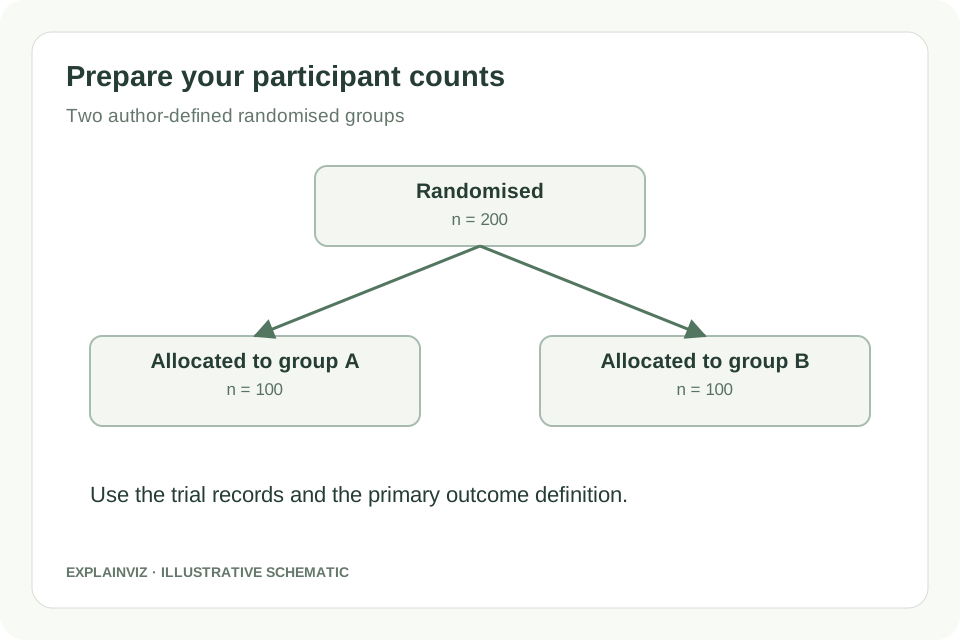
Use the trial records to prepare assessed, excluded and randomised totals. Name the two groups, enter the allocated and received-intervention counts, and add documented reasons for exclusions or nonreceipt. Use the manuscript’s group terminology consistently.
02
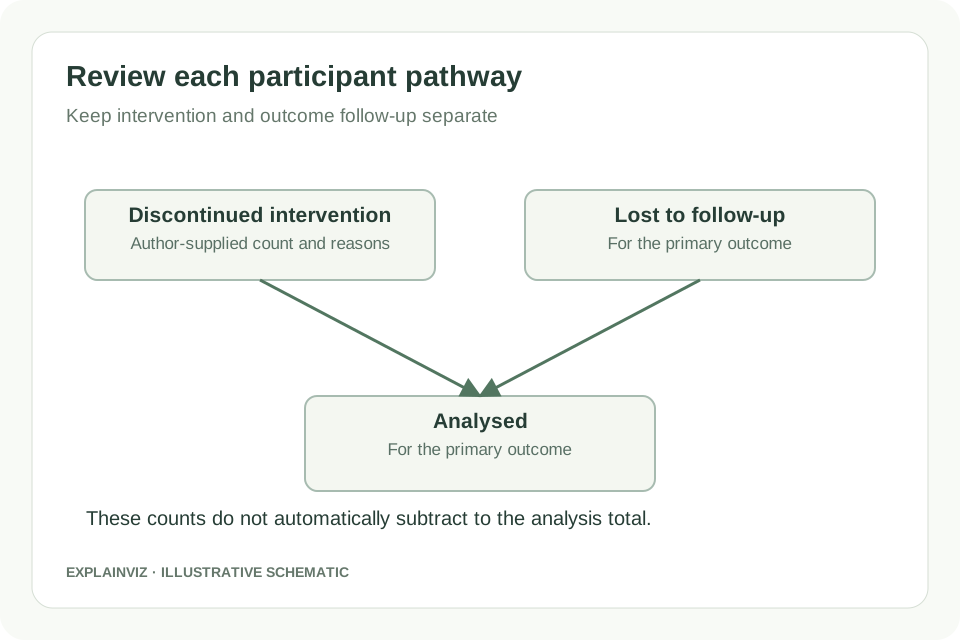
Enter discontinuation, loss to follow-up for the primary outcome, analysed totals and analysis exclusions for each group. Review count warnings and reasons against the trial records. The analysed count stays explicit; it is not inferred by subtracting follow-up events.
03
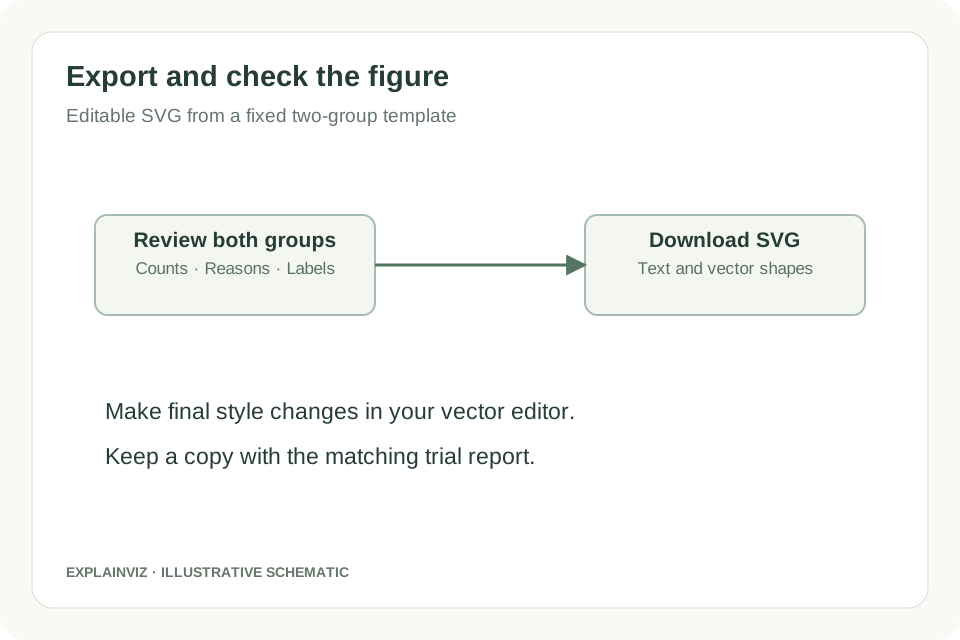
Download SVG after inspecting both participant paths. Use a compatible editor for final text and style adjustments. Check that the edited figure matches the trial report, including the stated primary outcome and every denominator.
The fixed diagram renders supplied values rather than asking AI to infer them from narrative text. Keep the link to your trial records visible as you review each stage and group before exporting.
The follow-up and analysis stages identify the primary outcome, following the 2025 participant-flow structure. This makes the figure’s scope clearer while leaving the outcome definition and analysis decisions with the trial team.
Download editable SVG so collaborators can refine labels and presentation without rebuilding the participant pathway. When a number changes, update the documented input and regenerate before making final style changes.
This local counting tool does not submit an AI generation request. You can prepare the supported two-group flow and export SVG without purchasing credits; other research-figure tools use their own account and generation rules.
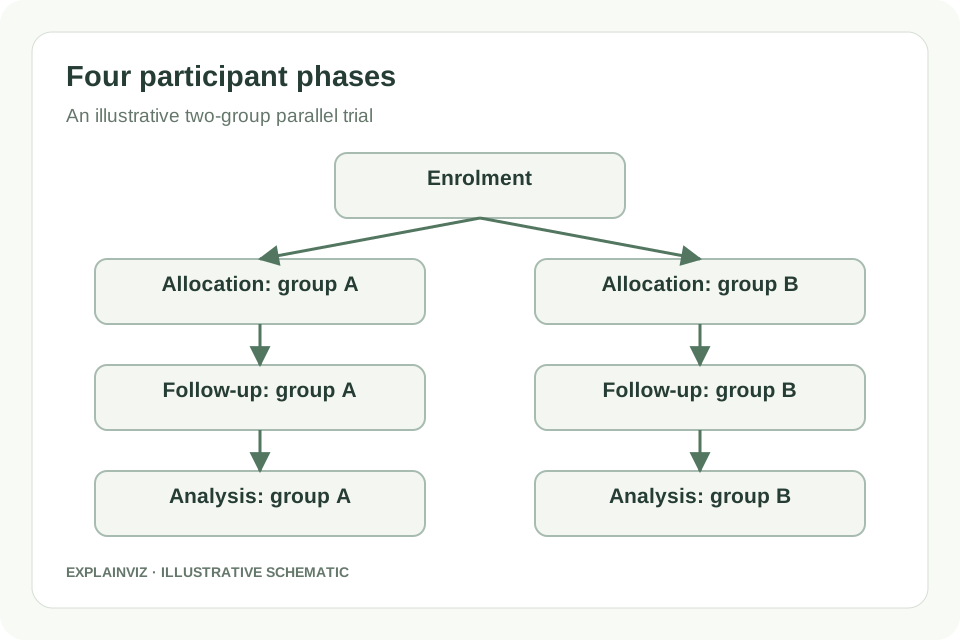
This tool follows the participant pathway of a randomised trial with two parallel groups. Describe the participants assessed for eligibility, the exclusions before randomisation and the two allocated groups. Continue each group through intervention receipt, follow-up and analysis. Use labels that agree with the manuscript, such as the actual intervention and comparator names, so readers can follow the same groups across the figure and the text without translating inconsistent terminology.
CONSORT 2025 includes a participant flow diagram as part of a wider reporting guideline for randomised trials. Its phases are enrolment, allocation, follow-up and analysis, with primary-outcome wording in the latter stages. The official statement and its explanation document provide the context for reporting decisions. This generator addresses the diagram only. It does not write the checklist, report allocation concealment, choose an analysis method or establish that a trial report meets every guideline item.
Check the trial design before using this layout. Multi-arm, crossover and cluster-randomised trials may need different participant or cluster accounting and relevant reporting extensions. This first version does not create those specialised pathways. If two parallel participant groups do not describe your design, begin with the appropriate official resources and build a figure that represents the actual trial rather than renaming boxes to make this template appear to fit.
Official CONSORT 2025 resourcesCONSORT 2025 statement and participant flow diagram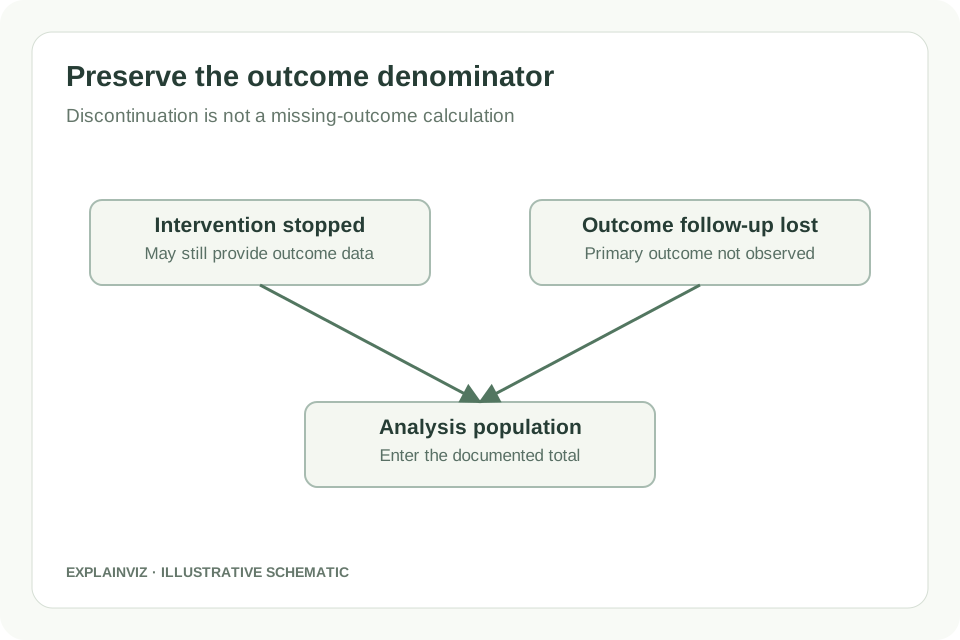
Stopping an allocated intervention and losing a participant’s primary-outcome follow-up are different events. A participant may stop treatment but still provide outcome data, or may have missing outcome data for another reason. Record each according to the trial’s documented definitions and add relevant reasons. Avoid wording that makes every discontinuation look like a missing outcome or makes every missing outcome look like a participant withdrew from the intervention.
The analysed total is entered directly from the trial report or approved analysis records. The generator does not calculate it by subtracting discontinued and lost participants from the allocated group, because those categories can overlap and the analysis may use methods that retain participants with incomplete observed data. A neat subtraction is not a substitute for a defined analysis population. If the totals look unexpected, ask the trial statistician or data team to reconcile them.
For an illustrative group of 100 allocated participants, a discontinuation count of 8 and a follow-up-loss count of 5 do not alone establish that 87 were analysed. Some participants may appear in both categories, and the analysis definition may differ from a complete-case count. Use the documented primary-outcome total, explain analysis exclusions where applicable, and check that the figure’s wording agrees with the Methods and Results. The numbers on the explanatory image are not trial results.
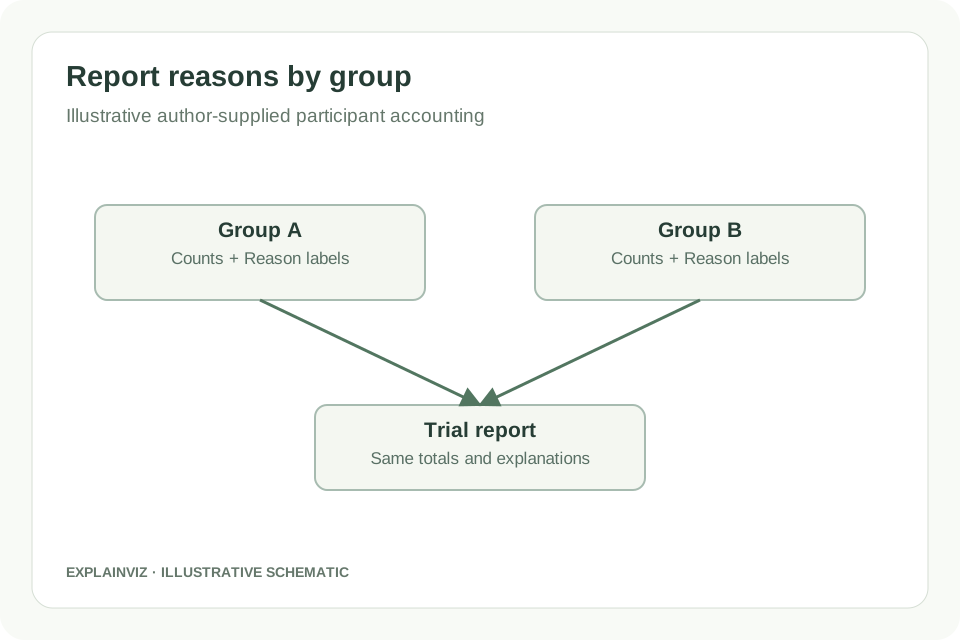
The diagram should explain where participants leave the displayed pathway, not merely show a final sample size. Before randomisation, record the exclusion total and the reasons used by the trial team. After allocation, preserve each group’s counts for intervention receipt, discontinuation, primary-outcome follow-up and analysis. Use clear reason labels with the relevant counts. A blank reason is a reporting question for the team to resolve, rather than an invitation for the software to invent a plausible explanation.
Review the group paths separately, then compare their shared entry points. Assessed and excluded totals should agree with randomisation, and the randomised total should agree with the two allocated groups. Within each group, inspect intervention receipt and nonreceipt against the allocated total. Analysis exclusions need interpretation under the trial’s actual analysis definitions, so a numerical check can flag a value for review without establishing the correct statistical denominator or deciding whether two reason categories overlap.
Once the participant accounting is agreed, download the SVG and inspect its text at the final presentation size. Adjust long intervention names and reasons in a vector editor if necessary. Keep an exported copy with the version of the trial report that supplied its counts; update both when a correction changes participant accounting. This tool does not provide statistical analysis, generate a trial dataset or certify a manuscript’s reporting completeness. Final approval remains with the trial authors.
Prepare a two-group participant diagram from the agreed trial records. Use the same intervention names, primary-outcome definition and counts in the diagram, Methods and Results so readers can follow the population.
Circulate the draft SVG to investigators and the data team for count and reason checks. Ask the statistician to confirm the analysed population when follow-up loss or intervention discontinuation complicates a simple reading.
Show participant progress in a postgraduate trial report without substituting the flow diagram for the reporting checklist. Reference the relevant guidance and keep your source participant-accounting records available for examination.
Update a reason label or participant count after the reporting team agrees a correction. Regenerate from the documented totals, inspect the export and replace every outdated figure used in the submission.
No. An analysis population is a methodological decision documented in the protocol, statistical analysis plan and trial report. Enter the count supported by those records and the relevant analysis output. The generator cannot decide which participants belong in an intention-to-treat, modified intention-to-treat or per-protocol analysis. If the population definition is unclear, resolve it with the trial statistician before finalising the figure; the displayed count should communicate the agreed definition.
The form is intended for aggregate counts and short reason labels, not individual participant data. Use non-identifying group names and descriptions. Do not enter names, contact details or other identifiers into a reporting figure. Keep participant-level records in your institution’s approved systems. Although the diagram calculation runs locally in the browser, preparing a public manuscript figure still requires the trial team to decide which aggregate information is appropriate to disclose.
This version does not create a saved trial project or a participant-accounting database. Keep the source totals in your trial records and download the SVG you want to retain. A browser refresh or closing the page can require you to enter the values again. Use the generator to assemble the reporting figure, and keep its input record and approved export with the corresponding manuscript version.
A participant flow diagram reports how participants progressed through a completed trial pathway. A planned schedule of enrolment, interventions and assessments answers a different question and belongs to protocol reporting, where SPIRIT guidance may be relevant. Do not use final-looking participant counts to represent a proposed trial as if it had occurred. If you need a planned experimental overview, use a methods schematic and label planned steps and assumptions clearly.
This template identifies follow-up and analysis for the primary outcome. Secondary outcomes may have different available-data counts or analysis populations, which need their own explanation in the trial report. Do not substitute a secondary-outcome denominator into a box labelled for the primary outcome. Discuss any additional table or figure with the reporting team and use terminology that makes the outcome and population explicit rather than overloading a single participant path.
Resolve the value in the trial records before treating the figure as a final result. A zero means a documented count of none, not an unknown or unverified value. If you are reviewing a preliminary draft, keep its status clear in the reporting workflow and do not circulate it as an approved manuscript figure. Ask the data team to provide the aggregate count and supporting definition, then update the form and export once they are agreed.
Enter the agreed group counts and reasons, review the primary-outcome pathway and download the editable SVG.
Build a CONSORT diagram