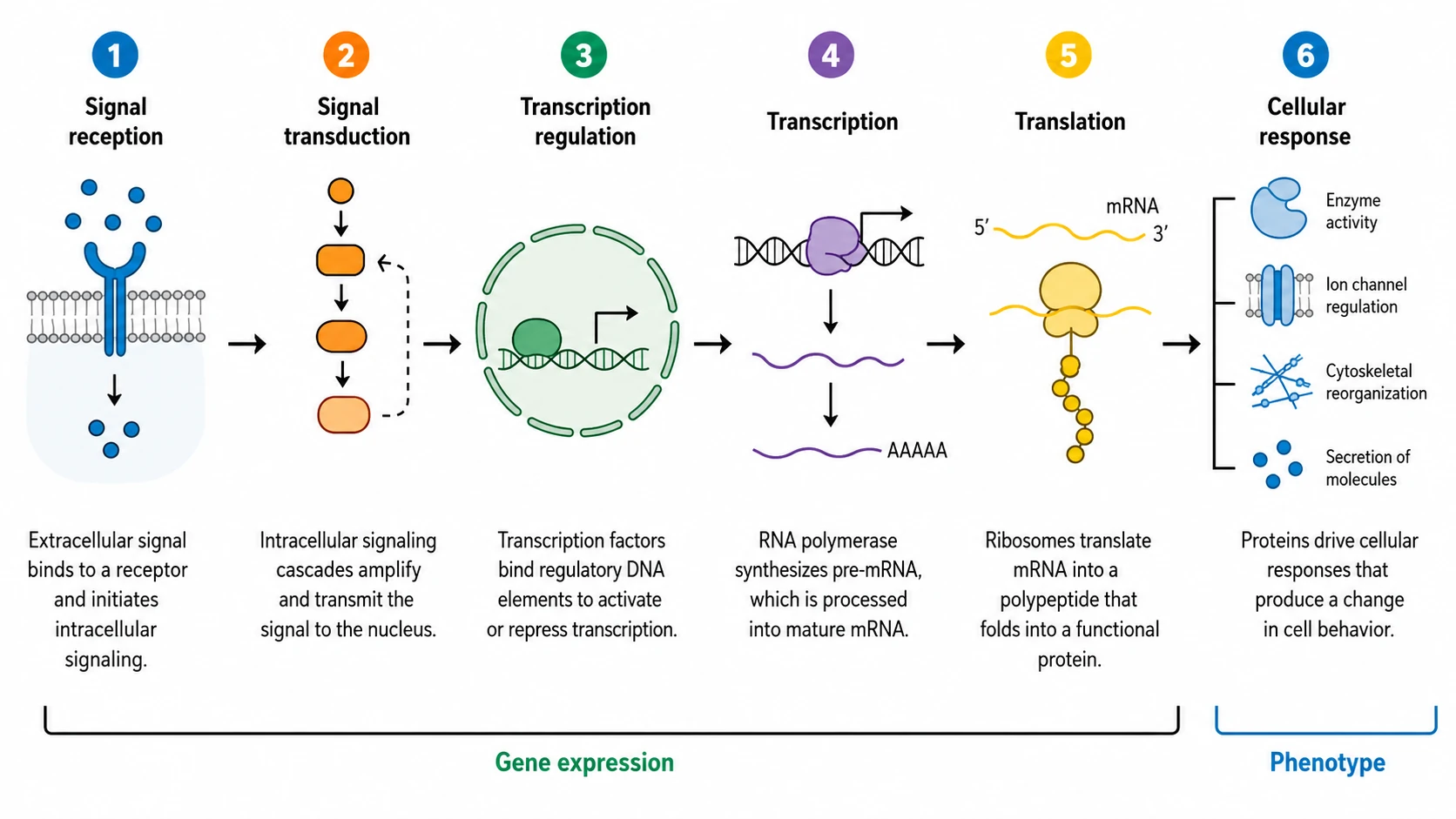
Biology
Biology graphical abstractSignal-to-phenotype pathway
Research figure tool
Turn your abstract into a clear, journal-ready graphical abstract. Our AI generator drafts an accurate, labeled figure in minutes — edit every element and export as vector.
CV-2 Standard · 16:9
graphical abstract
Try an example
Browse templates by discipline: molecular biology, chemistry, materials, and clinical research. Click any example to start from it.
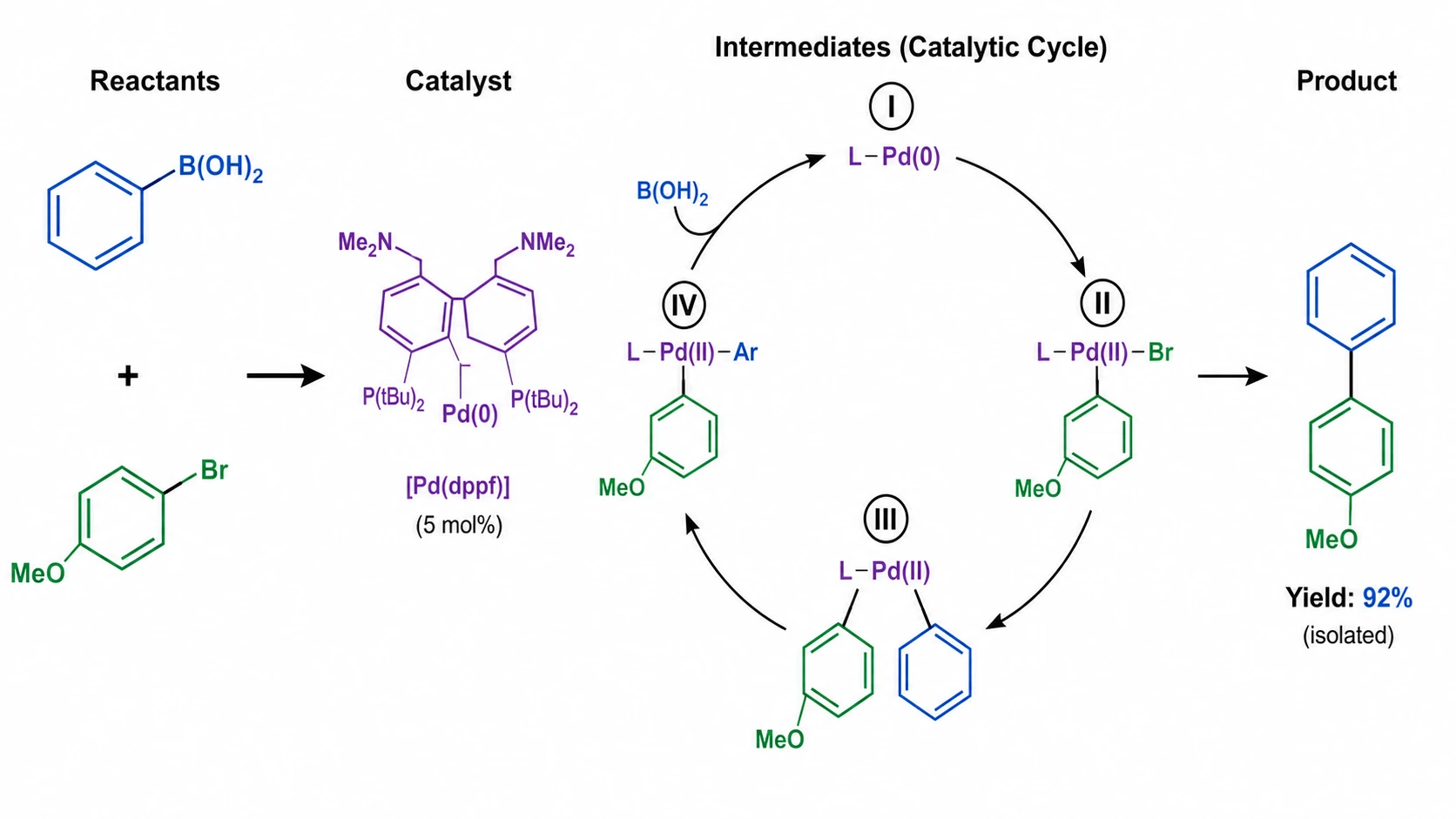
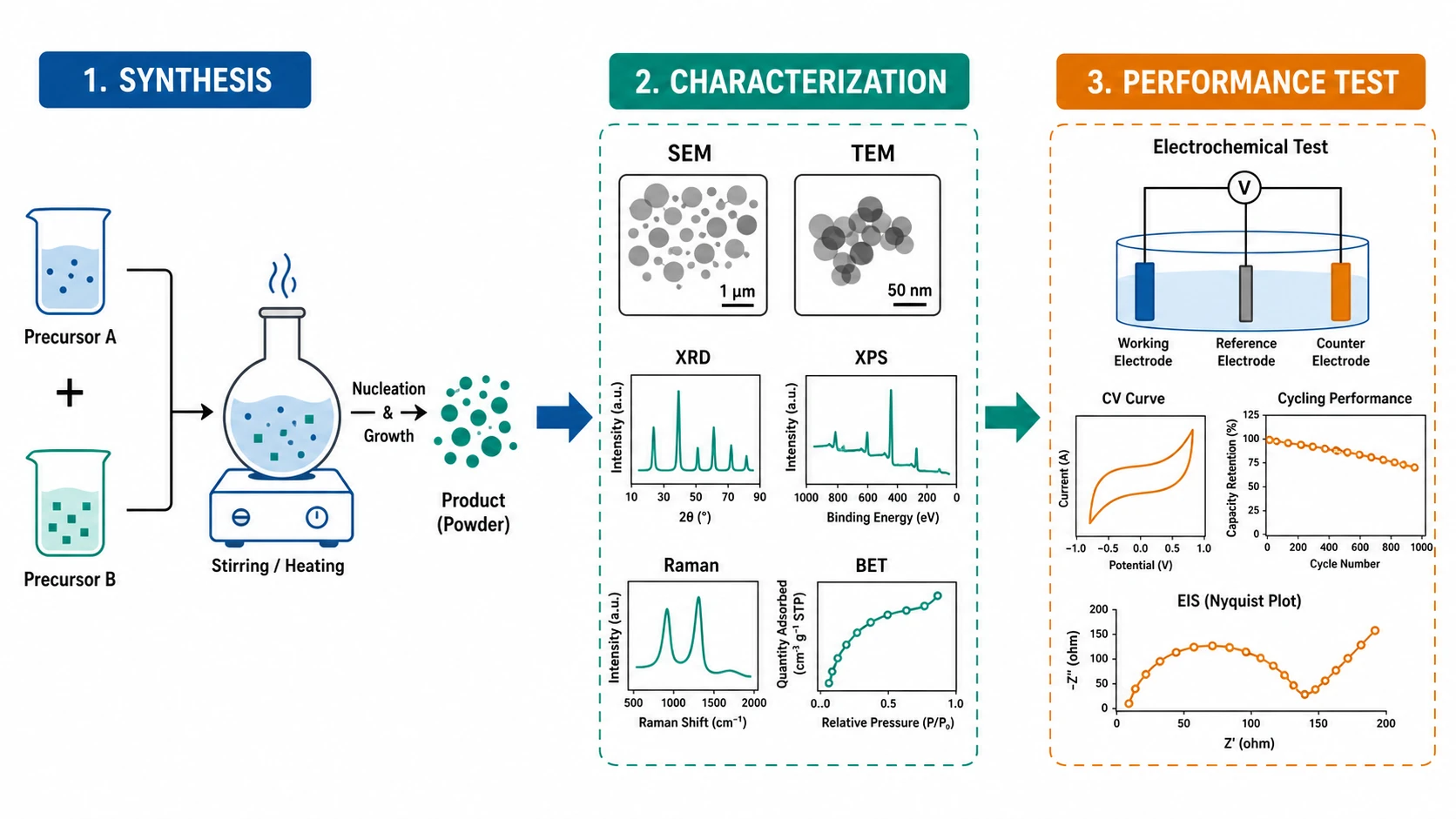
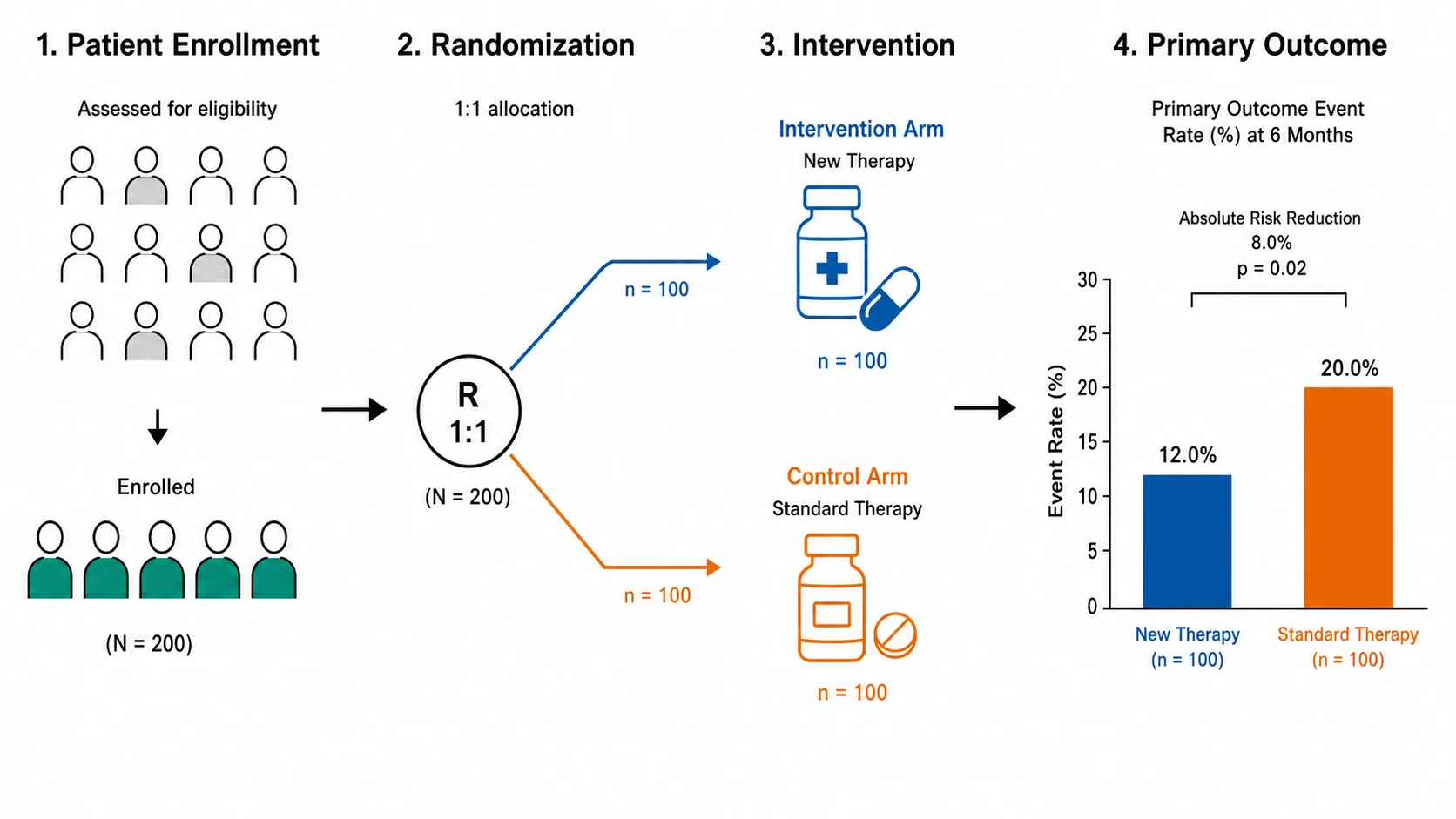
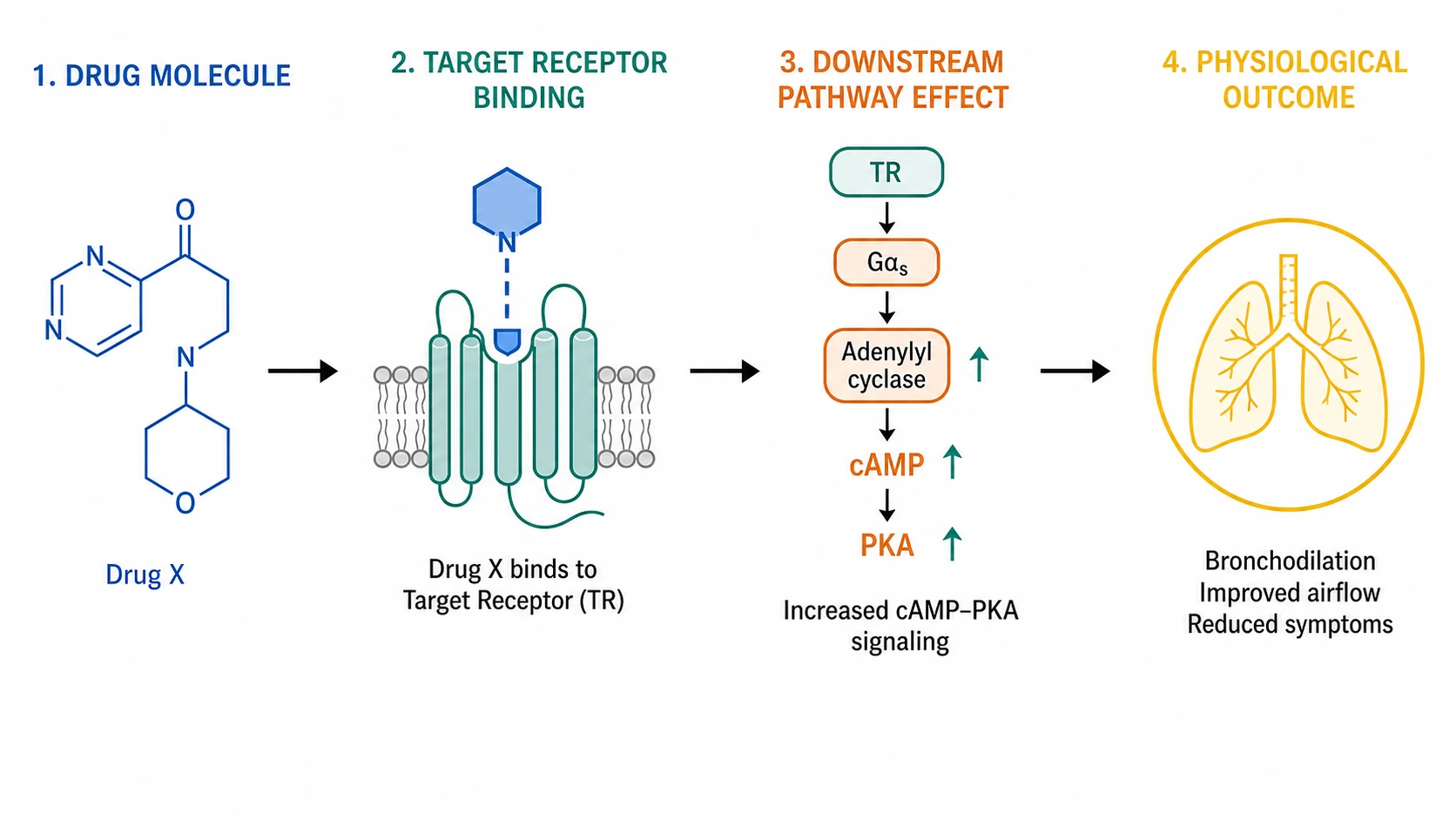
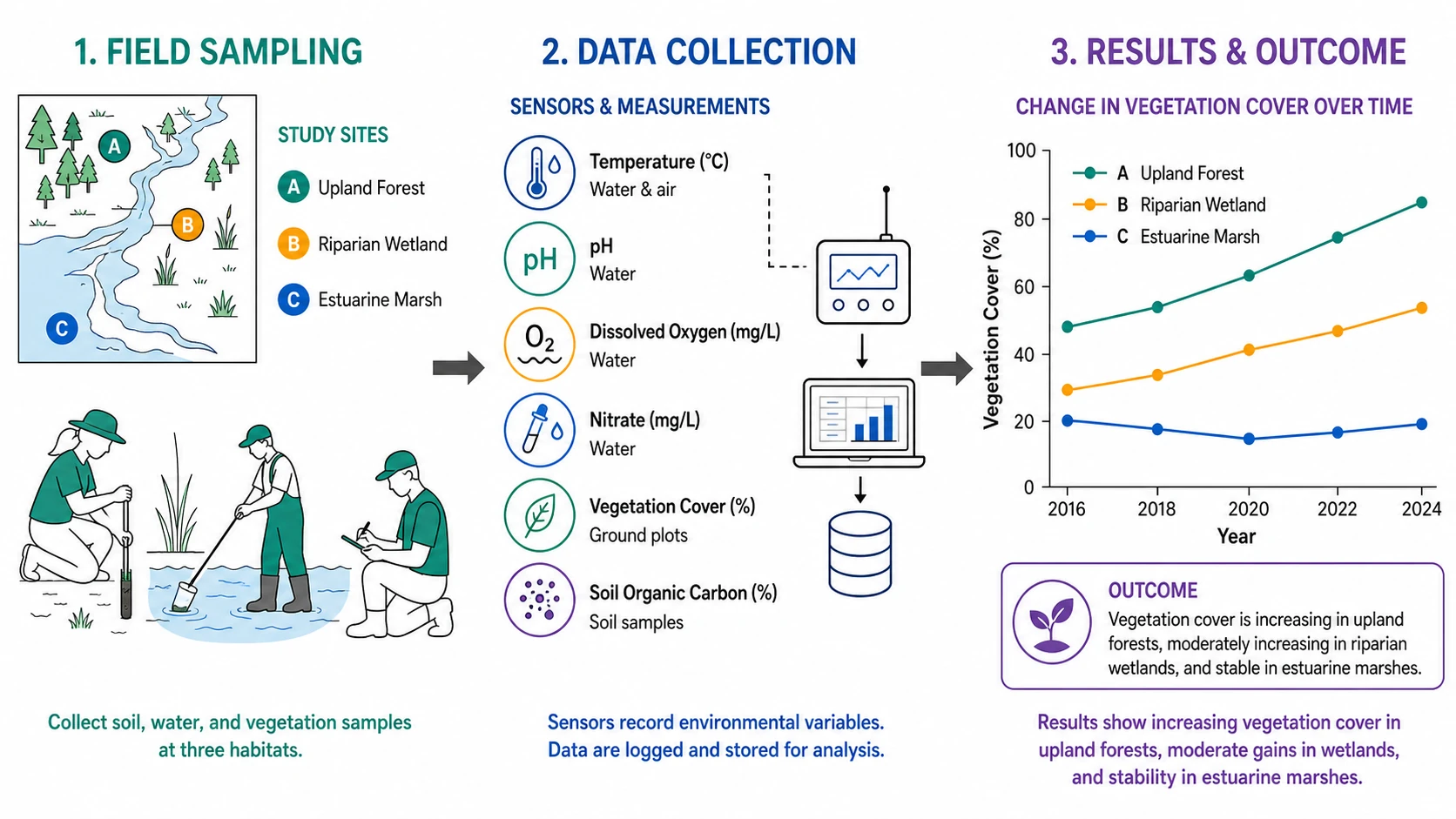
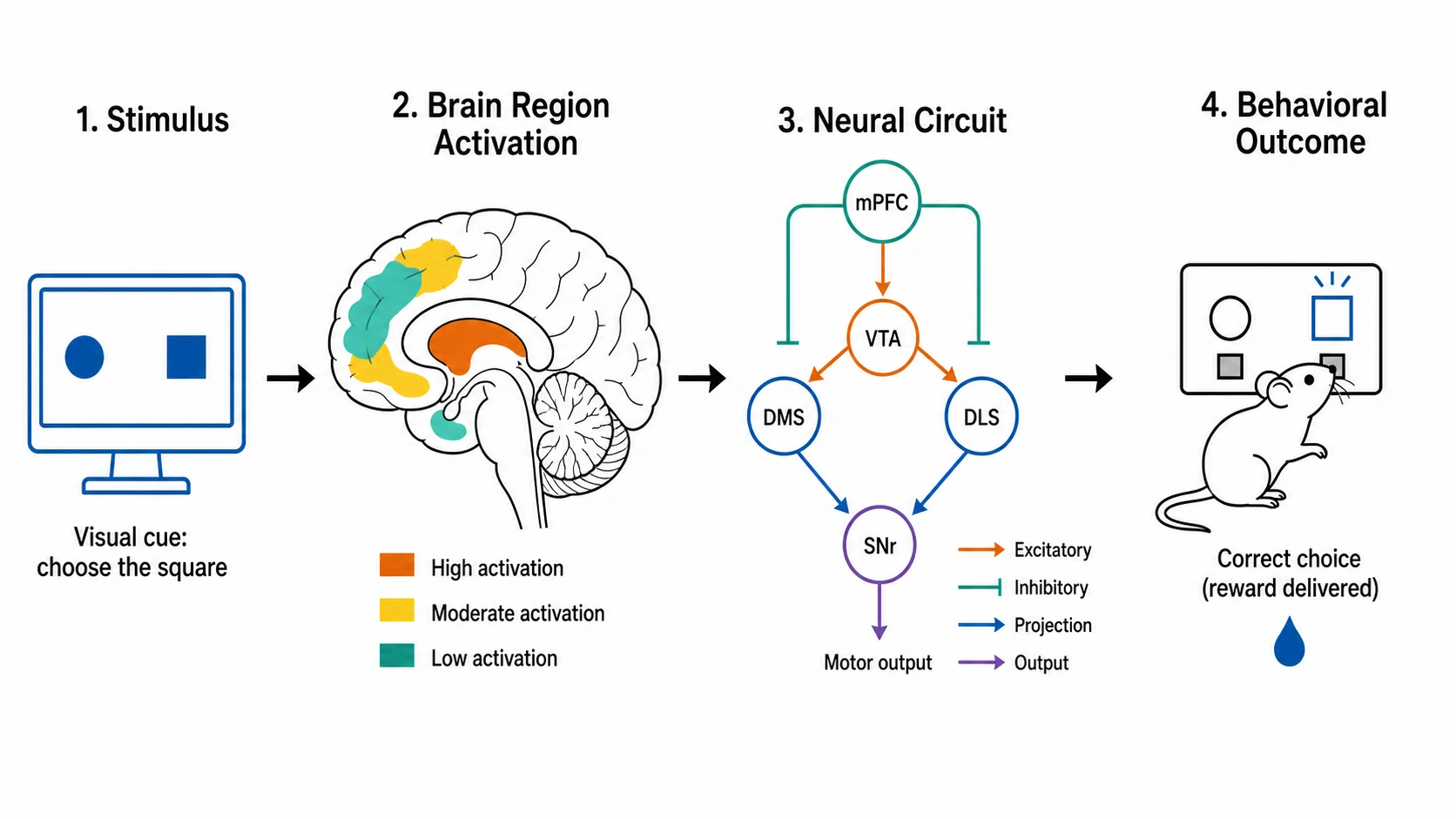
A graphical abstract is a single, self-explanatory figure that visually summarizes the main finding of a paper. Journals display it in tables of contents, search results, and social-media previews, so the figure needs to communicate the full story at a glance. An effective one uses clear labels, logical flow from left to right, and minimal decoration. Many researchers treat the graphical abstract as an afterthought, but editors increasingly require one at submission, and readers use it to decide whether the full paper is worth opening.
An increasing number of journals now require a graphical abstract at submission, while others continue to treat it as optional. Requirements vary by journal, so authors should always check the current instructions for their target publication. A clear visual summary helps editors and readers understand the paper's main finding at a glance, and producing it efficiently keeps more time available for the science itself.
The manual way: hunt for icons, redraw in PowerPoint or Illustrator, guess the journal size, lose the editable file, and redo everything at revision. With this graphical abstract maker: describe your finding, get a labeled draft, edit any element, export SVG at the journal's required dimensions, and re-edit anytime your reviewer asks for changes. What used to take an afternoon becomes a ten-minute workflow.
Every journal sets its own specs. Elsevier requires 1328 × 531 pixels; Cell Press asks for a square at 1200 × 1200 pixels; Wiley journals typically accept up to 560 pixels wide. The maker includes presets for these common sizes so you export at the correct resolution without guesswork. All exports are vector SVG, which means the figure stays sharp at any print size and can be opened later in Illustrator, Inkscape, or Figma.
A strong graphical abstract follows a few principles: read direction flows left to right or top to bottom, the color palette is limited to three or four hues, text labels are large enough to read at thumbnail size, and every element serves the narrative. Avoid the common mistake of cramming an entire paper into one figure — focus on the single most important result. Use arrows to show causation or sequence, and group related concepts with boxes or background shading. The maker applies these layout rules automatically, giving you a clean starting point to refine.
General-purpose AI image generators optimize for aesthetics and often produce garbled text, invented structures, and meaningless labels. This graphical abstract maker is built specifically for research communication: structures and labels are drafted to reflect the science you describe, not generated as decorative filler. Every element is individually editable, so you can verify accuracy before export. Always review and refine every label, arrow, and structure before submission.
In molecular biology, a typical graphical abstract shows a signaling pathway from receptor to gene expression. In chemistry, it traces a reaction mechanism through intermediates to the final product. In materials science, the figure maps a workflow from synthesis through characterization to device performance. In clinical research, the summary illustrates participant flow, intervention, and primary outcome. Each discipline has conventions for how a visual summary should look — the maker applies discipline-aware layouts so the result matches what reviewers expect.
Signal-to-phenotype pathway
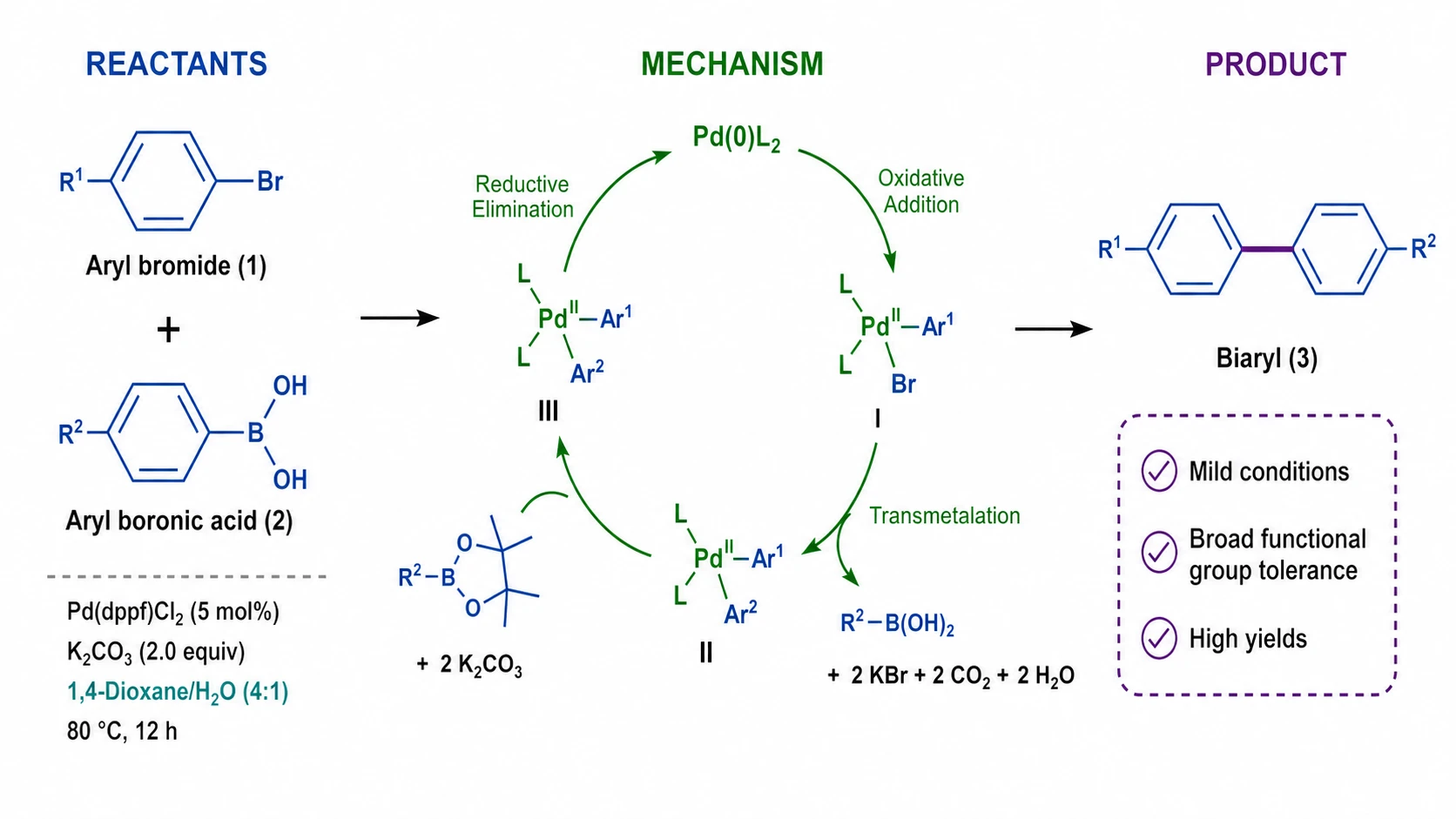
Reaction mechanism and product
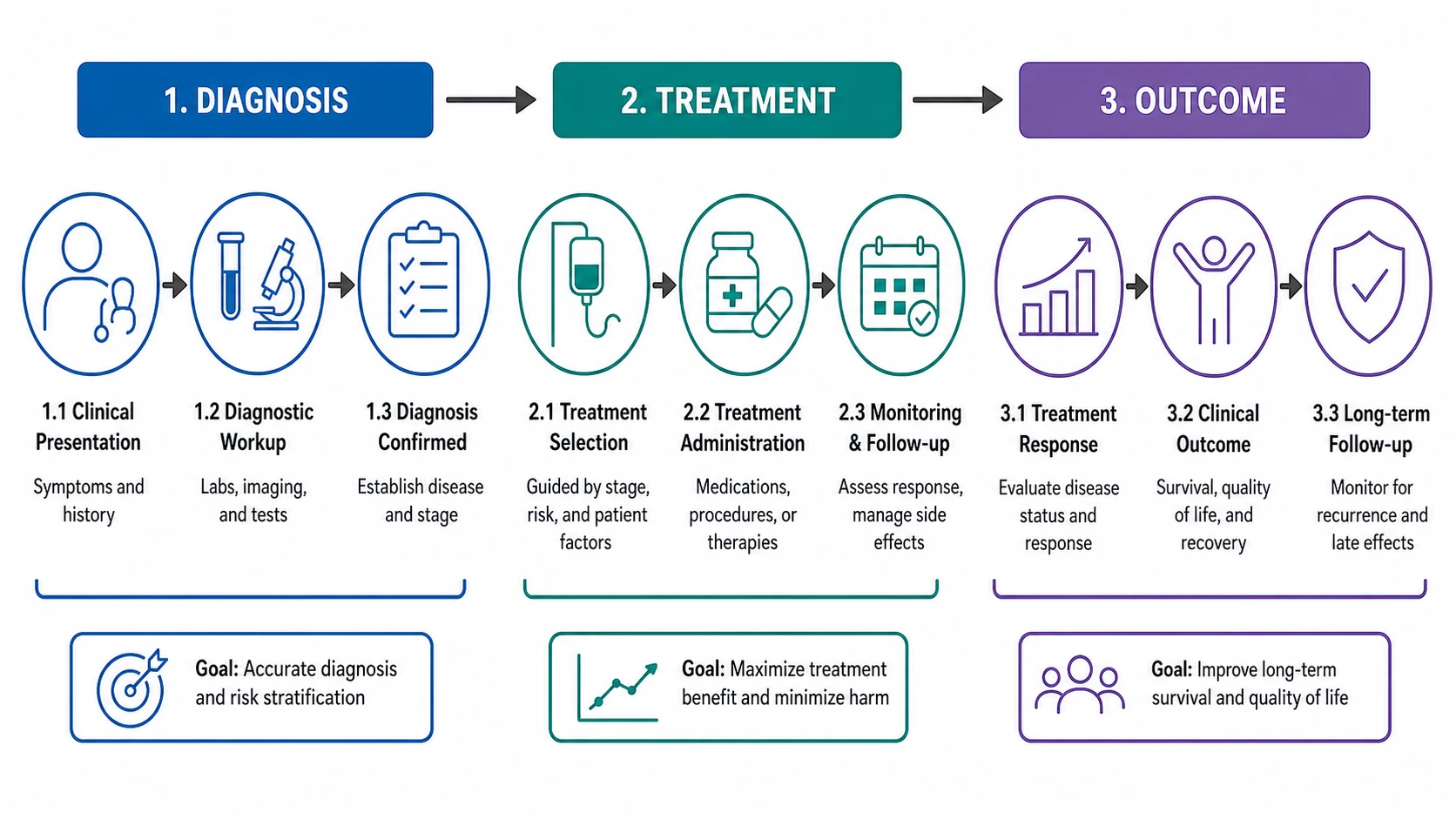
Diagnosis, treatment, and outcome
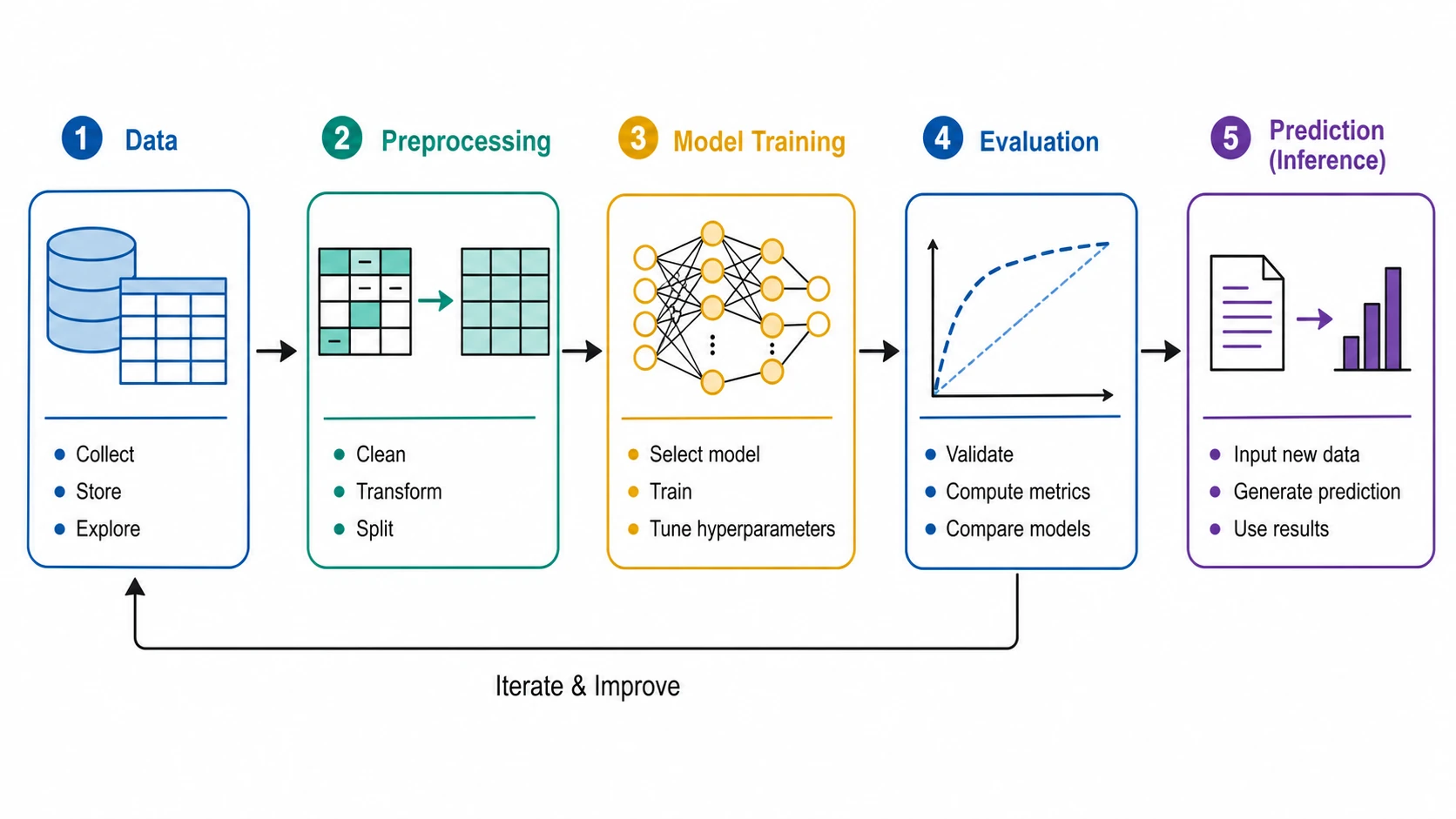
Data, model, and prediction
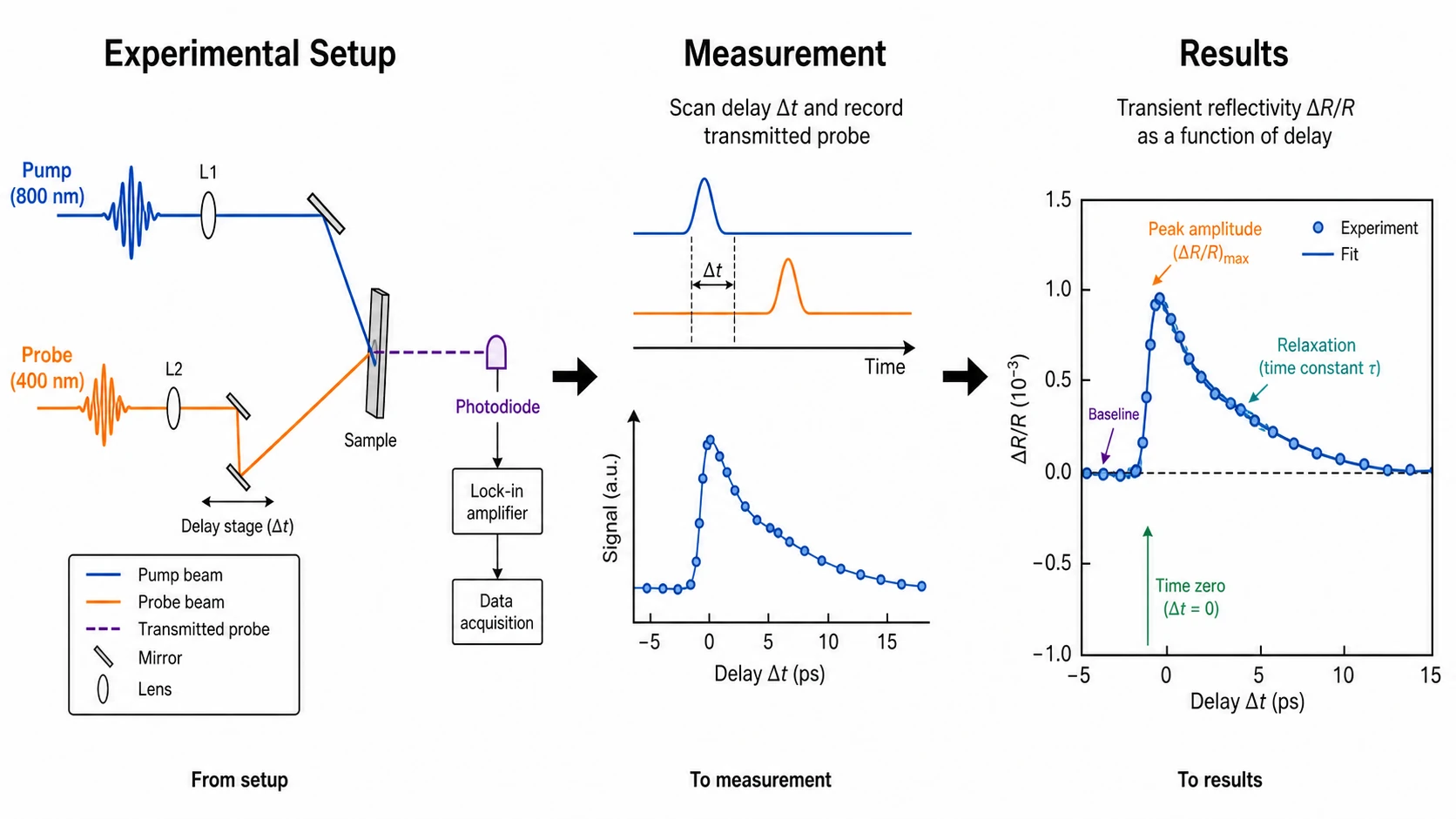
Experiment, measurement, and results
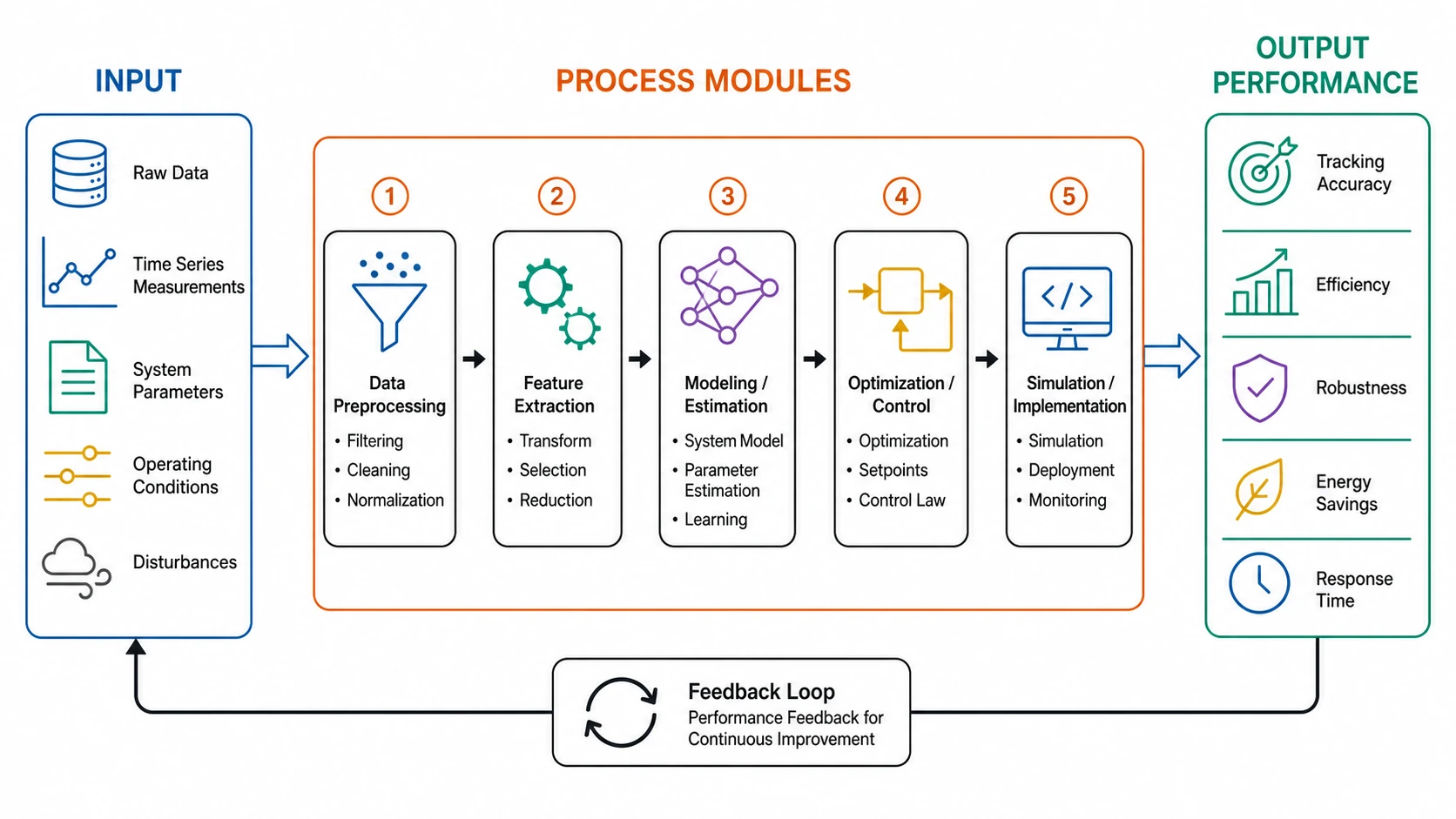
System workflow and performance output
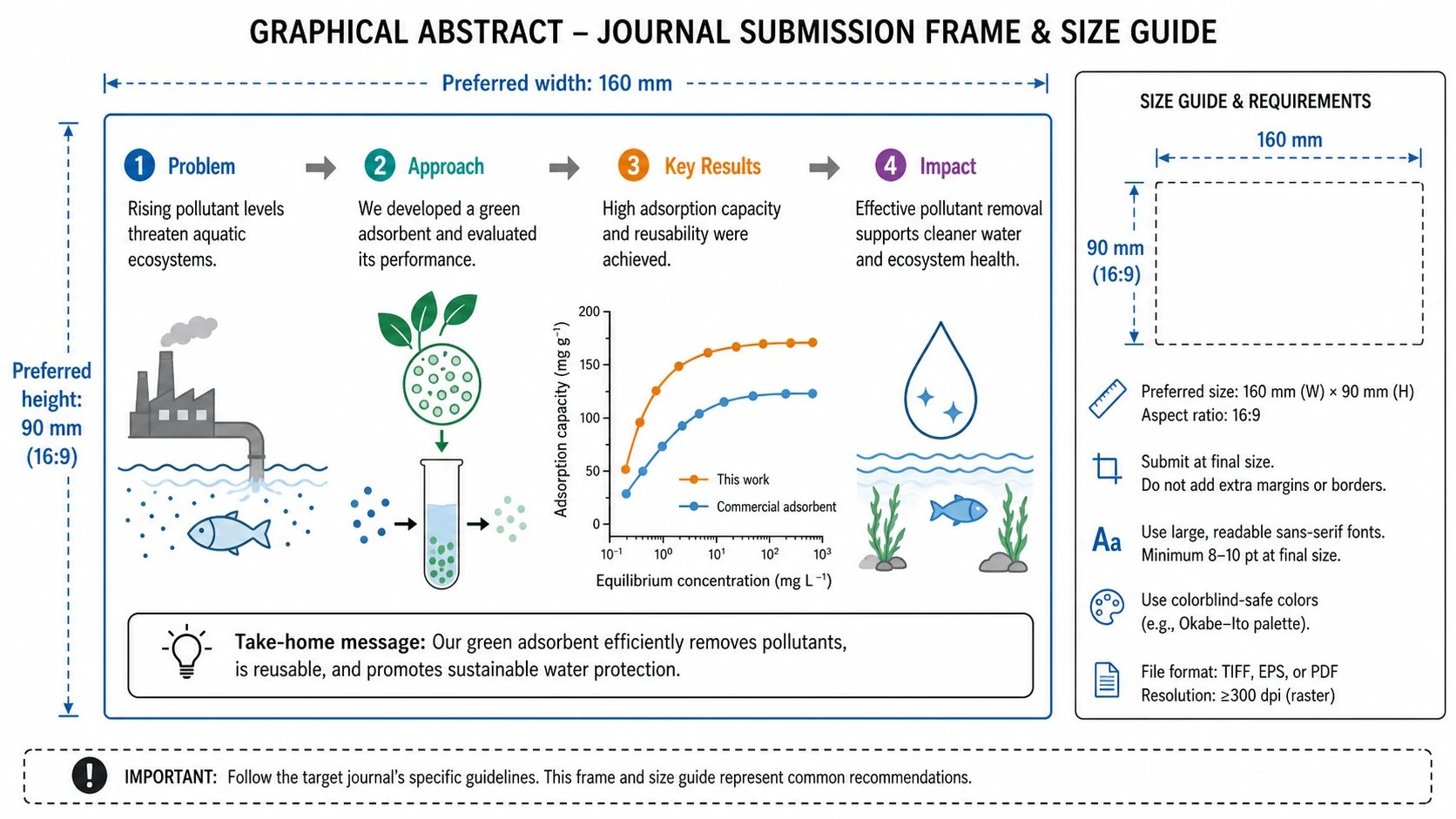
Structure the abstract around journal dimensions and layout requirements before submission.
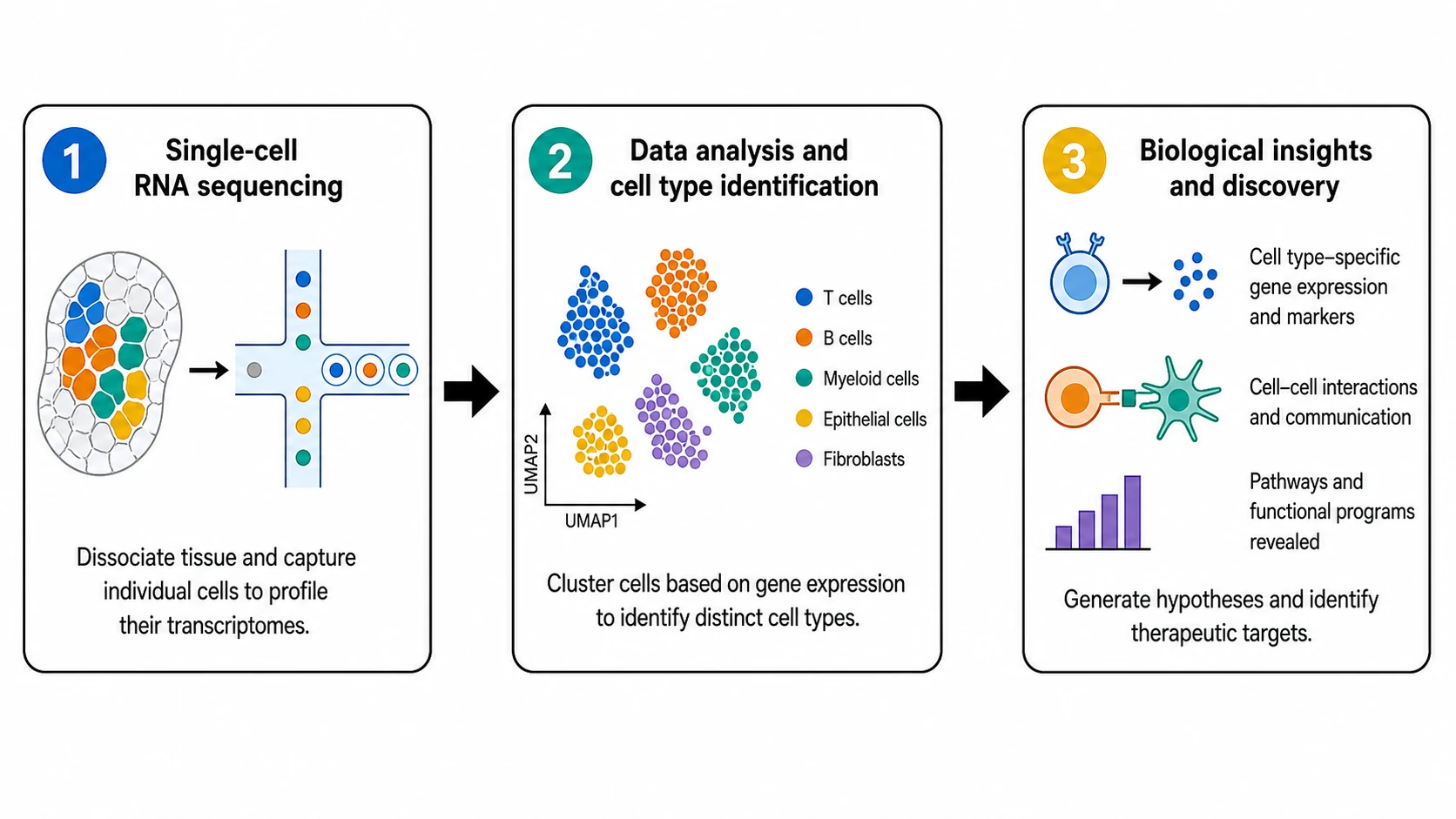
Connect clear panels with directional arrows to create an immediate reading path.
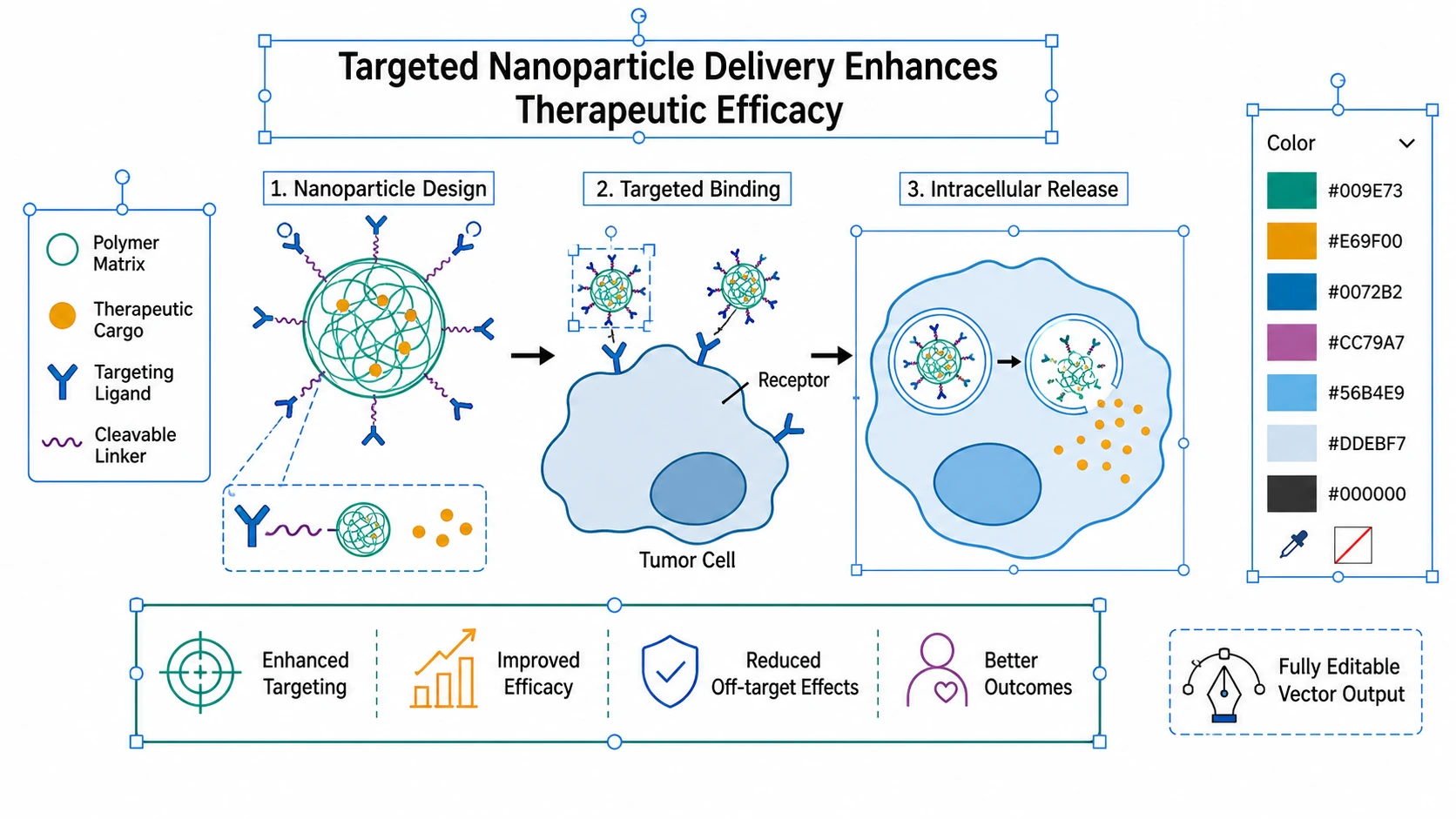
Refine labels, colors, and layout, then export a vector file for submission.
Describe your study's main finding in one or two sentences.
The AI drafts a labeled graphical abstract with the correct layout.
Edit labels, colors, arrows, and layout to match your data.
Export as SVG or high-res PNG at the journal's required size.
A graphical abstract is a single visual summary of a paper's main finding. Journals display it in search results and tables of contents to help readers decide whether to read the full article. Most major publishers now require one at submission.
Related research figure tools